

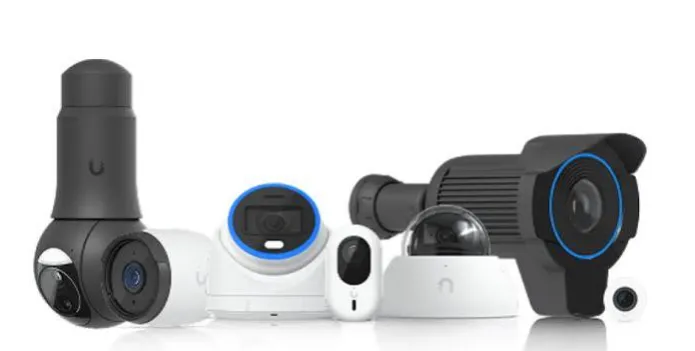
Houston offices lose more money to bad WiFi than most owners admit. A dropped video call here, a slow upload there, and the day drifts. Nobody enjoys that. Many managers only look at the price of access points. That is a small slice. Professional UniFi installations Houston TX teams will tell you the real bill includes design, cabling, setup, and support. This article walks through each cost, one by one. Know them early and the quote on your desk will make sense. Skip them and surprises show up in month three.
Hardware Costs Come First
Start with the gear, because it is the easy part. Access points, switches, and a gateway form the base. A small office may need four access points. A busy floor may need twenty. Prices change with the model, and newer WiFi 7 units cost more than older ones. Spare parts matter too, since one dead switch can stop a whole floor. Ask for a full parts list in writing. Check that each item has a model number. Vague quotes hide extras, and extras love to grow once work begins. Small details, big bills.
Why Cabling Costs So Much
Cables hide inside walls, so nobody sees the money they take. Yet labor here often matches the hardware cost. Older Houston buildings add trouble, with tight ceilings and heavy concrete. Crews need lifts, drills, and patience. Good UniFi WiFi installations Houston starts with a site walk, where the installer marks every run. Cat6 cable, patch panels, and labels all add up. Cheap jobs skip labels. Then, two years later, nobody knows which port feeds which room. Pay for tidy work once and you will not pay twice. Trust me on that one.
Design and Site Surveys
A survey sounds boring, but it saves real money. The installer walks the space with a signal tool and checks walls, glass, and the break room microwave. Yes, microwaves matter. Then comes a map that shows where each access point should sit. Without it, offices buy too many units or too few. Tall glass towers and thick concrete cores in Houston add odd signal issues. Some firms charge a flat design fee, while others fold it into the project. Ask which one you are getting before you sign anything.
Setup, Security, and Controller Fees
Setup is where the network gets its brain. The installer builds separate networks for staff, guests, and printers, so a visitor cannot wander into your files. They also set firewall rules and update the firmware. Some firms host the UniFi controller for you, which adds a monthly charge. Others install it on a local device. Neither choice is wrong. Just know the cost of each. Ask who owns the admin login too, since that matters later. You want that password in your hands, not locked in a contractor’s laptop.
Ongoing Support and Monitoring
Here is a cost people forget. A network is not a toaster. It needs care. Firmware updates arrive often, and a missed one can open a door for trouble. Managed plans cover monitoring, alerts, and fast fixes when something breaks at 8 a.m. on a Monday. Prices run monthly or yearly. It works a bit like insurance. When you compare UniFi WiFi installation providers in Houston, look at response times, not just rates. A cheap plan with a three-day wait is no bargain, especially during payroll week.
Hidden Costs and Smart Savings
Surprises usually come from the extras. Permits, after-hours work, and lift rentals can sneak in. Older buildings may need new power lines for switches. On the savings side, phasing the project across two quarters can ease cash flow. Buying hardware in one batch often lowers the unit price. Also ask about a warranty, because a one-year promise and a three-year promise are very different animals. Pick a firm that offers Professional UniFi installations Houston TX businesses can trust, then get every promise on paper.
Conclusion
Budgeting for a managed wireless network is less scary once the parts are named. Hardware, cabling, design, setup, support, and extras each have a price, and each one can be asked about. Write the list, compare quotes line by line, and push for plain answers. The team at UniFiNerds.com can help Houston offices walk through that list with real numbers. It is a small bet that pays back every single workday. A steady network feels boring in the best way. Nobody notices it, and that is exactly the point.